Best Payroll Software for Startups in 2026 (Budget-Friendly Picks)
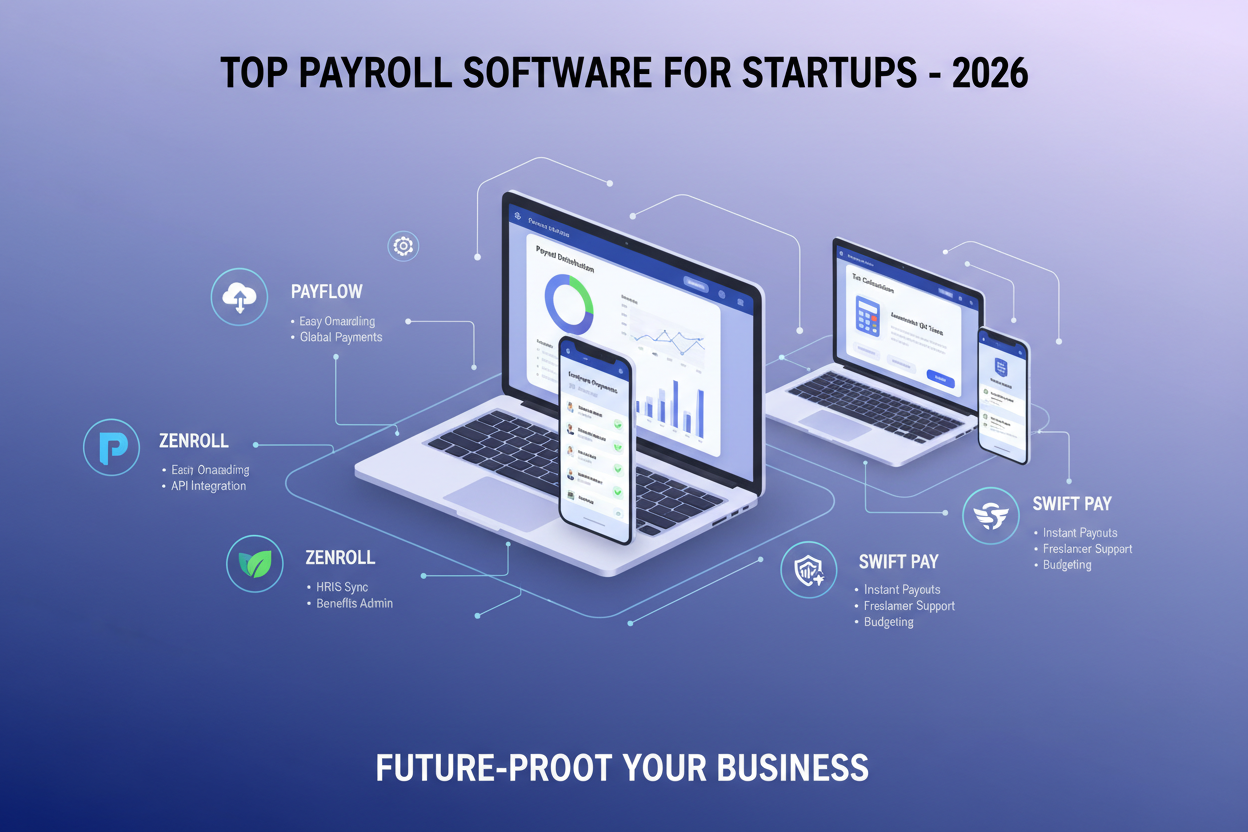
Startups operate with narrow margins, small teams, and constant pressure to keep operations clean without overspending. Payroll sits at the center of that balancing act. Paying employees late or filing taxes incorrectly can damage trust and create legal trouble, yet building an internal payroll department costs time and money that early companies cannot spare. This gap explains why founders search for the best payroll software for startups that can manage payments, tax calculations, and compliance without requiring a dedicated specialist.

Payroll platforms have improved significantly over the past few years. Many now include automated tax filing, contractor payments, benefits tracking, and integrations with accounting systems. Instead of juggling spreadsheets and manual calculations, founders can rely on cloud systems that handle the heavy lifting in the background. The challenge lies in choosing software that fits limited budgets while still covering legal and operational needs.
This guide reviews reliable and budget-friendly options, compares their strengths, and explains how to select a system that aligns with early growth using practical payroll tools for early-stage startups.
Why Startups Need Payroll Software Early
Some founders attempt to manage payroll manually during the first few months. At first glance, this appears simple. A small team, a few salaries, and a basic spreadsheet seem manageable. The problems appear later.
As soon as contractors, bonuses, or tax deductions enter the picture, complexity grows. Government filings become frequent. Tax rates vary across locations. Mistakes lead to penalties that cost more than the software subscription itself.
Dedicated payroll systems address these risks through automation. Calculations run automatically. Tax tables stay updated. Pay stubs generate instantly. Employees receive direct deposits without manual transfers. These functions save hours every pay cycle and reduce human error.
For early companies with lean staffing, that time savings translates into focus on product development and customer acquisition rather than administrative chores.
What Startups Should Look for in Payroll Software

Before reviewing specific platforms, it helps to clarify what matters most for young companies. Enterprise payroll systems often include advanced modules that small teams do not need. Paying for those extras wastes budget. Startups usually benefit from five practical capabilities.
Ease of Setup
Founders rarely have HR specialists. The system should guide users through setup with clear steps, templates, and automated onboarding. The easiest payroll software for startups 2026 will prioritize simplicity over advanced configuration.
Affordable Pricing
Flat monthly rates or per-employee pricing work best for small teams. High base fees or long contracts create unnecessary strain, especially when searching for the best payroll software for startups on a budget.
Automated Tax Filing
Federal, state, and local tax filings must happen on schedule. A platform that handles these filings automatically prevents missed deadlines and reduces stress.
Contractor and Employee Support
Startups often hire freelancers alongside full-time staff. The system should handle both without requiring separate accounts or processes.
Cloud Access
Cloud payroll software for startups allows founders to run payroll from anywhere. Remote access supports distributed teams and international hiring.
Best Payroll Software for Startups in 2026

Below are carefully selected options that deliver strong value for early-stage teams. Each platform balances price, usability, and compliance coverage.
Gusto
Gusto remains one of the most popular choices for early startups because it keeps payroll simple without sacrificing automation. Setup takes little time, the dashboard stays easy to follow, and most founders can process payroll without outside help.
Features
Gusto covers the full payroll cycle and adds light HR support that helps small teams manage everything from one place.
- Automatic federal, state, and local tax filing
- Direct deposit and digital pay stubs
- Benefits and workers’ compensation support
- Contractor payments alongside employees
- Integrations with accounting platforms
| Pros | Cons |
|---|---|
| Easy to learn and operate | Multi-state compliance may require higher-tier plans |
| Transparent pricing for small teams | Limited advanced HR controls |
| Helpful customer support and documentation | |
| Strong fit for single-state or early remote teams |
Rippling
Rippling positions itself as an operations platform that happens to include payroll. It connects payroll with HR, benefits, and IT systems, which appeals to startups that want everything managed from one place as the team grows.
Features
Rippling combines payroll with broader employee management so hiring, onboarding, and payments all live in one workflow.
- Automated payroll and tax compliance
- Benefits administration
- Time tracking and expense management
- Device and app provisioning for employees
- International payroll support
| Pros | Cons |
|---|---|
| Centralizes HR, payroll, and IT tasks | Higher cost than basic payroll systems |
| Strong automation for scaling teams | Longer setup period |
| Works well for distributed companies |
OnPay
OnPay focuses on affordability while still offering full-service payroll. Many founders appreciate the straightforward pricing and the fact that the platform avoids unnecessary extras.
Features
The system delivers the essentials startups need while keeping the interface clean and easy to understand.
- Unlimited pay runs
- Automated tax filing and payments
- Benefits management
- Contractor support
- Integrations with QuickBooks and Xero
| Pros | Cons |
|---|---|
| Budget-friendly pricing | Fewer advanced HR features |
| Simple and intuitive dashboard | Smaller ecosystem than larger brands |
| Strong overall value |
Patriot Payroll
Patriot works well for very small or bootstrapped startups that want dependable payroll at the lowest possible cost. It focuses on the fundamentals without adding complexity.
Features
The platform handles core payroll tasks and offers an optional upgrade for automated tax filing.
- Direct deposit and pay stubs
- Tax calculations
- Full-service tax filing option
- Basic reporting and records
| Pros | Cons |
|---|---|
| Very low monthly cost | Basic design |
| Quick setup | Limited integrations and automation |
| Reliable for straightforward needs |
Square Payroll
Square Payroll fits startups that already use Square for payments or point-of-sale systems. Businesses with hourly or shift-based teams benefit from the tight connection between time tracking and payroll.
Features
Payroll connects directly to Square’s ecosystem, which reduces manual entry and keeps wage calculations accurate.
- Time tracking synced with payroll
- Automatic tax filings
- Contractor payments
- Tip and hourly wage support
- Cloud-based access
| Pros | Cons |
|---|---|
| Excellent for retail and service businesses | Less flexible outside the Square ecosystem |
| Smooth workflow for hourly staff | Limited HR functionality |
| Easy integration with Square tools |
Deel
Deel specializes in global payroll and contractor management. It addresses the compliance and payment challenges that appear when hiring across borders.
Features
The platform handles international contracts, local regulations, and cross-border payments so startups can hire globally without setting up foreign entities.
- Global contractor and employee payments
- Employer of Record services
- Localized contracts and compliance
- Multi-currency payouts
- Country-specific tax handling
| Pros | Cons |
|---|---|
| Strong solution for international hiring | Higher pricing for domestic-only teams |
| Simplifies legal and tax requirements abroad | More features than early local startups may need |
| Reduces administrative overhead |
Each platform serves a different stage of growth. Gusto and OnPay work well for lean domestic teams, Rippling supports broader operations control, Patriot covers basic needs at low cost, Square fits retail environments, and Deel stands out for international hiring. Matching the software to your hiring model keeps payroll efficient and affordable as your startup expands.
Comparing the Top Picks
Each platform addresses a different startup need, so the right choice depends on how you hire, how fast you plan to grow, and how much complexity you want to manage.
- Gusto works well for most small teams that want simple setup, automated tax filings, and dependable payroll without extra layers. It is a strong default for early-stage companies operating in one or a few states.
- Rippling suits startups planning rapid growth or deeper operational control. It combines payroll with HR and IT management, which helps when onboarding, devices, and benefits all need to stay coordinated.
- OnPay and Patriot focus on affordability. Both cover core payroll tasks at low monthly costs, making them good choices for lean or bootstrapped teams that want reliable basics.
- Square Payroll fits retail, restaurant, and service businesses that already use Square, since time tracking and payroll connect directly for hourly staff.
- Deel stands out for global or remote-first teams, handling international contracts, compliance, and multi-currency payments in one system.
Match the software to your current stage and hiring model, and you will avoid paying for features you do not need while still leaving room to grow.
How Payroll Automation Saves Time, Money, and Compliance Headaches
Handling payroll manually may seem manageable during the first few hires, yet the effort grows quickly as your team expands. What begins as a simple spreadsheet soon turns into a cycle of calculations, tax checks, and paperwork that steals hours every pay period. Small mistakes also become expensive, especially when deadlines or filings are missed. Payroll automation removes that constant friction and gives founders a reliable system that runs in the background.
Time Savings Through Automation
Manual payroll demands repeated steps every cycle, from calculating wages to preparing deposits and generating pay stubs. Even a small team can lose several hours each month handling these tasks.
Automated payroll platforms process wages instantly, schedule direct deposits, and create reports with a few clicks. Employees can access their own pay information without emailing operations staff. These efficiencies reduce administrative work and free founders to focus on product development, hiring, and customers instead of routine data entry.
Fewer Errors and Lower Costs
Mistakes carry real financial consequences. Incorrect deductions, missed tax updates, or delayed payments often lead to penalties, corrections, and frustrated employees. Fixing those issues usually takes more time than running payroll correctly in the first place.
Payroll automation for startups reduces those risks by applying current tax rules automatically and calculating everything consistently. Fewer errors mean fewer corrections, and fewer corrections mean lower costs. Over time, the subscription fee often costs less than the cumulative expense of manual fixes.
Built-In Compliance Support
Compliance becomes complicated fast as soon as you hire across states or bring on contractors. Regulations change regularly, and staying current without software support requires constant monitoring.
Startup payroll compliance software keeps tax tables updated, files returns on schedule, and generates required forms such as W-2s and 1099s automatically. This consistency lowers the chance of audits or fines and gives founders confidence that nothing has been overlooked.
Taken together, these benefits create a simple outcome: payroll runs reliably with less effort, fewer surprises, and far less stress. That stability allows startups to spend their energy where it matters most, which is building and growing the business.
Pricing Expectations for 2026
Most payroll platforms follow a familiar pricing structure that combines a base monthly fee with a charge for each employee or contractor. Understanding typical costs helps startups plan their budgets without surprises. Here’s what founders can expect:
Entry-Level Plans (Core Payroll):
These plans cover basic payroll processing, direct deposits, and automated tax calculations. Pricing typically ranges from $25 to $45 per month plus $4 to $8 per employee or contractor. This tier fits early-stage teams that want dependable payroll without extra features.
Mid-Tier Plans (Payroll with Benefits):
Mid-level options add employee benefits administration, year-end forms, and better reporting tools. Expect base fees around $50–$90 per month plus $6 to $10 per worker. These plans suit startups that offer health benefits or want deeper insights into labor costs.
Premium Plans (Advanced HR/Time Tools):
Premium tiers include time tracking, onboarding support, compliance alerts, and integrations with HR systems. Prices often begin near $100 to $150 per month plus $8 to $12 per employee. While pricier, these plans can reduce manual work and support faster team growth.
Contractor-Only Options:
Some platforms offer pay-as-you-go contractor payroll starting near $5 to $12 per contractor per month with no base fee. These work well for startups relying heavily on freelancers.
For many early companies, staying within a modest budget remains possible. Comparing features against real needs prevents paying for unnecessary add-ons.
Common Mistakes to Avoid
Founders often treat payroll as a small back-office task, yet early decisions here affect accuracy, compliance, and team trust. Choosing the wrong system can create recurring friction that wastes time every pay cycle. A few common missteps appear often, and each has a simple fix.
Buying Oversized Enterprise Software
Large platforms include features that small teams rarely use, which raises costs and complicates daily work. Start with lean software that handles payments, tax filing, and reports cleanly, then upgrade later if growth demands it.
Relying On Spreadsheets For Too Long
Manual calculations seem manageable with a small team, yet errors increase quickly as deductions, bonuses, or contractors are added. Adopt payroll automation for startups early to keep pay runs consistent and reduce mistakes.
Choosing Based On Price Alone
Low-cost plans may lack automated filings or updates to tax rules. Solid startup payroll compliance software that manages taxes in the background often prevents expensive penalties.
Ignoring Integrations
Re-entering payroll data into accounting systems wastes time and invites errors. Cloud payroll software for startups that connects with bookkeeping and time tracking keeps everything aligned.
A practical approach focuses first on simplicity, automation, and compliance, then adds extra features as the company grows.
Final Thoughts
Payroll may appear administrative, yet it directly affects morale, trust, and legal standing. Not submitting your taxes on time, paying late, or putting your business in the wrong category can all waste time and cost you money. Good payroll software takes care of all the math, reporting, and payments automatically, so you don’t have to worry about these problems. The best payroll software for new businesses is easy to use and fits your team’s size, budget, and recruiting style. Pick a system that works well in the background so you can focus on growing your business, hiring new employees, and making new products.












Post Comment